 LaunchVideo.app
Changelog 02: Multi-Language Video and a Built-In Tutorial

Joey
Founder
June 11, 2026
2 min read
Changelog 01 ended with a question: tell us what you want to see in Changelog 02.
You did. The messages came in, and two of them came up again and again. One was about reach: people building for audiences who don't think in English. The other was about that first quiet moment of staring at a blank workspace, unsure where to begin.
So here they are. Both answers, now live.
1. Multi-language video
A launch video should sound like it was made for the people watching it. Not translated for them. Made for them. And a launch does not only happen in English.
So we taught LaunchVideo to build the whole video in another language.
This is not subtitles, and it is not an English video with a translation bolted on at the end. The on-screen scene text and the spoken voice-over are both generated natively in the language you pick. The motion, the timing, the creative direction all stay exactly as they would in English. The only thing that changes is the language itself.
Today you can choose English (US), English (UK), or Greek. Greek was a deliberate first test. A different alphabet and different letterforms push the system far harder than another Latin-script language would, so getting the screen text and the voice clean there means the next language is mostly a matter of turning it on.
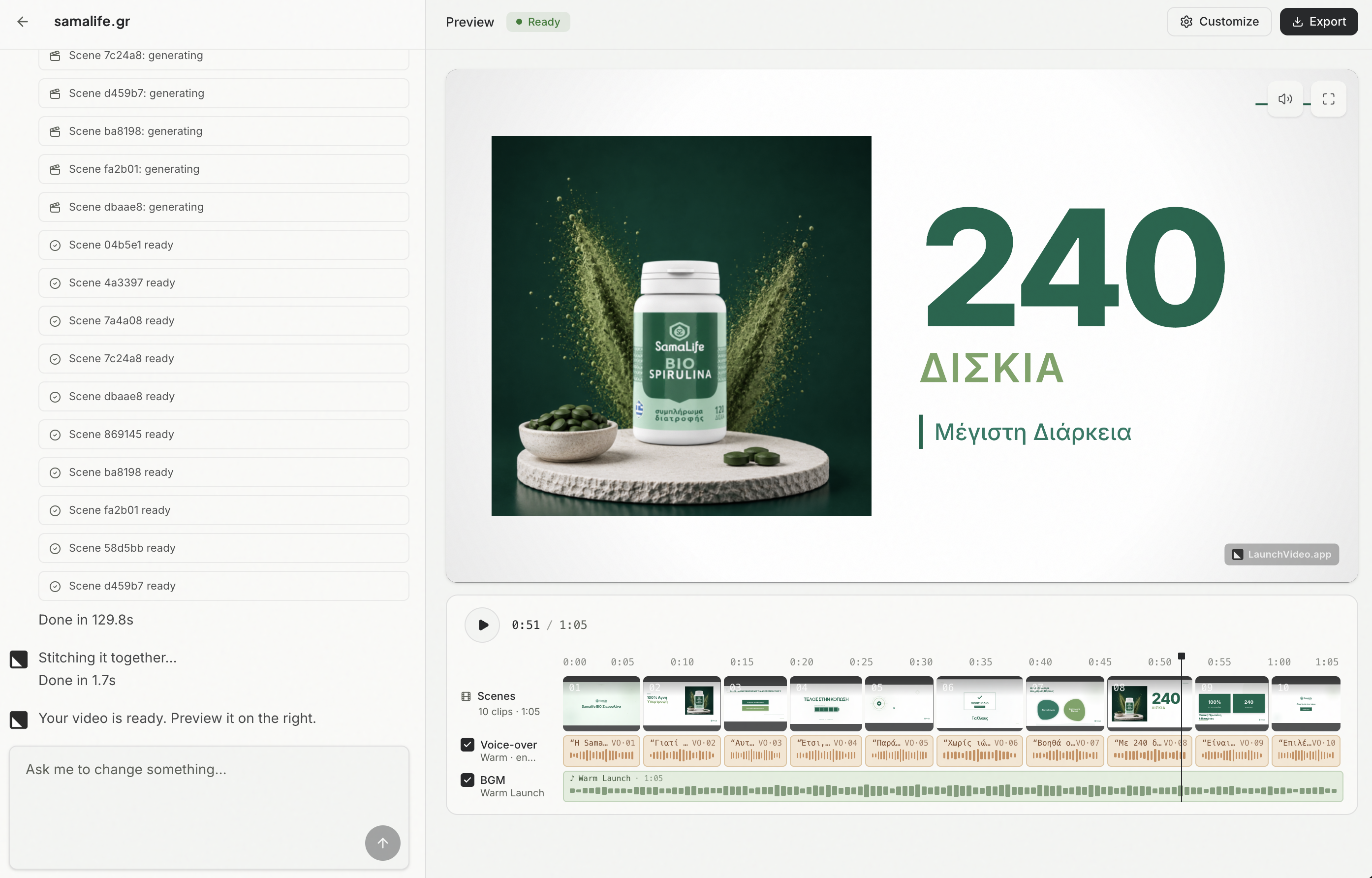
More languages are on the way. Tell us which one you need next.
2. A built-in tutorial
The first time you meet a tool that turns one prompt or one URL into a finished video, the hard part isn't the work. It's knowing where to begin.
A powerful tool with no on-ramp wastes most of its power. The product is simple once you've done it once, and a little mysterious before that. We used to leave that first step to a docs page you would have to go and find.
So we put a short video tutorial right in the workspace sidebar, sitting next to the work instead of buried somewhere you have to hunt for it. Watch it before your first project, glance back at it whenever you want a reminder, and get to a finished video faster.
It's the smaller of the two changes here. On day one, it might be the one that matters most.
Keep it coming
Both of these started as messages from people using the product. That is still the plan: you tell us where it is thin, we go fill it in.
So keep it coming. Head to LaunchVideo.app, pick the language your audience actually speaks, and make something. Then tell us what you want to see in Changelog 03.